
How to Activate DJ Music Mixer
Activating DJ Music Mixer removes all of the trial restrictions. You’ll need the Activation Code from your order confirmation email.
Activation steps
Step 1: Download and install DJ Music Mixer
Step 2: Load the Activation Form
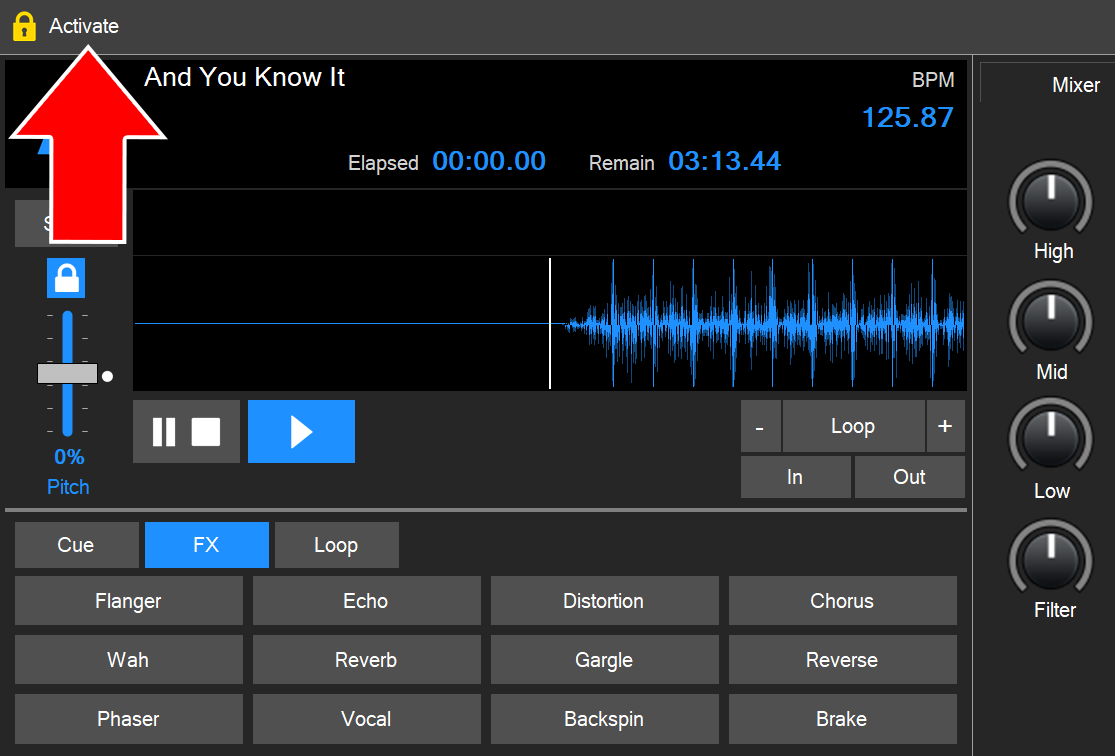
To open the Activation Form and activate your license of DJ Music Mixer, click the Activate option in the top-left corner of the software.
Step 3: Enter your Activation Code
Find your Activation Code in the order confirmation email sent to you just after your purchase was confirmed.
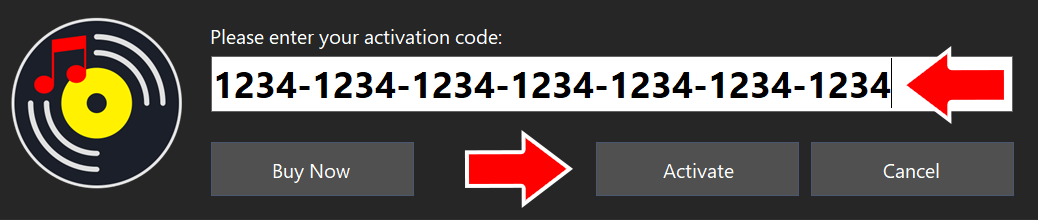
Select the entire code, then copy and paste it into the Activation Form. Then click Activate.
That’s it!
Your license of DJ Music Mixer is now activated. You can now enjoy mixing your music files without limitation.
Can’t find your Activation Code?
Check your spam or junk folder first. If you still need help, contact our support team.
Don’t have a license yet?
Buy DJ Music Mixer to get your Activation Code, or learn more about its features.