

How to Convert Audio Files
Convert your audio files to another format, such as MP3, with Video Converter Pro.
Steps
Step 1: Download and Install Video Converter Pro
Download the Video Converter Pro installer, then run it to install Video Converter Pro.
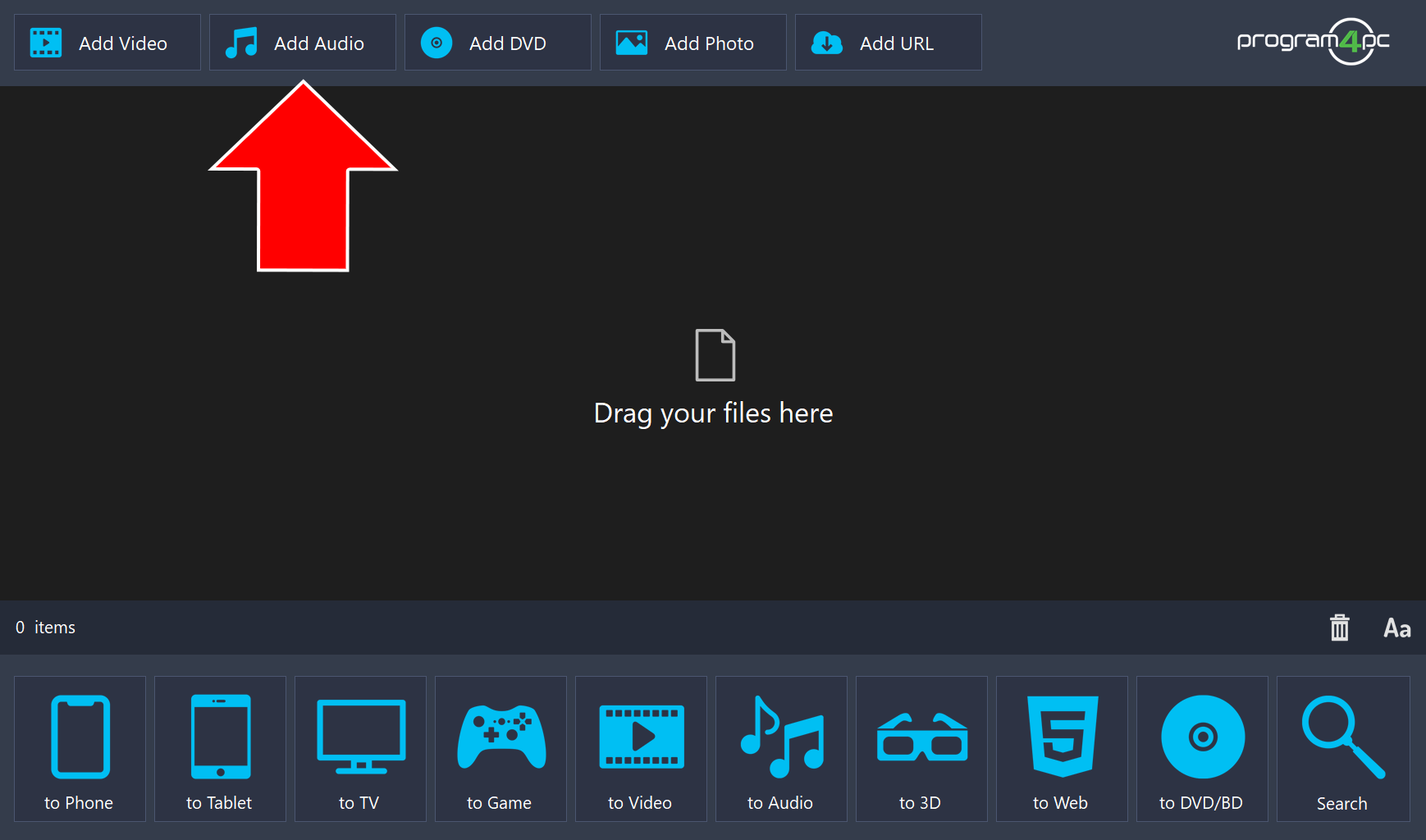
Step 2: Add Your Audio Files
Click Add Audio to add audio files to the program. You can also drag your audio files and drop them into the program.
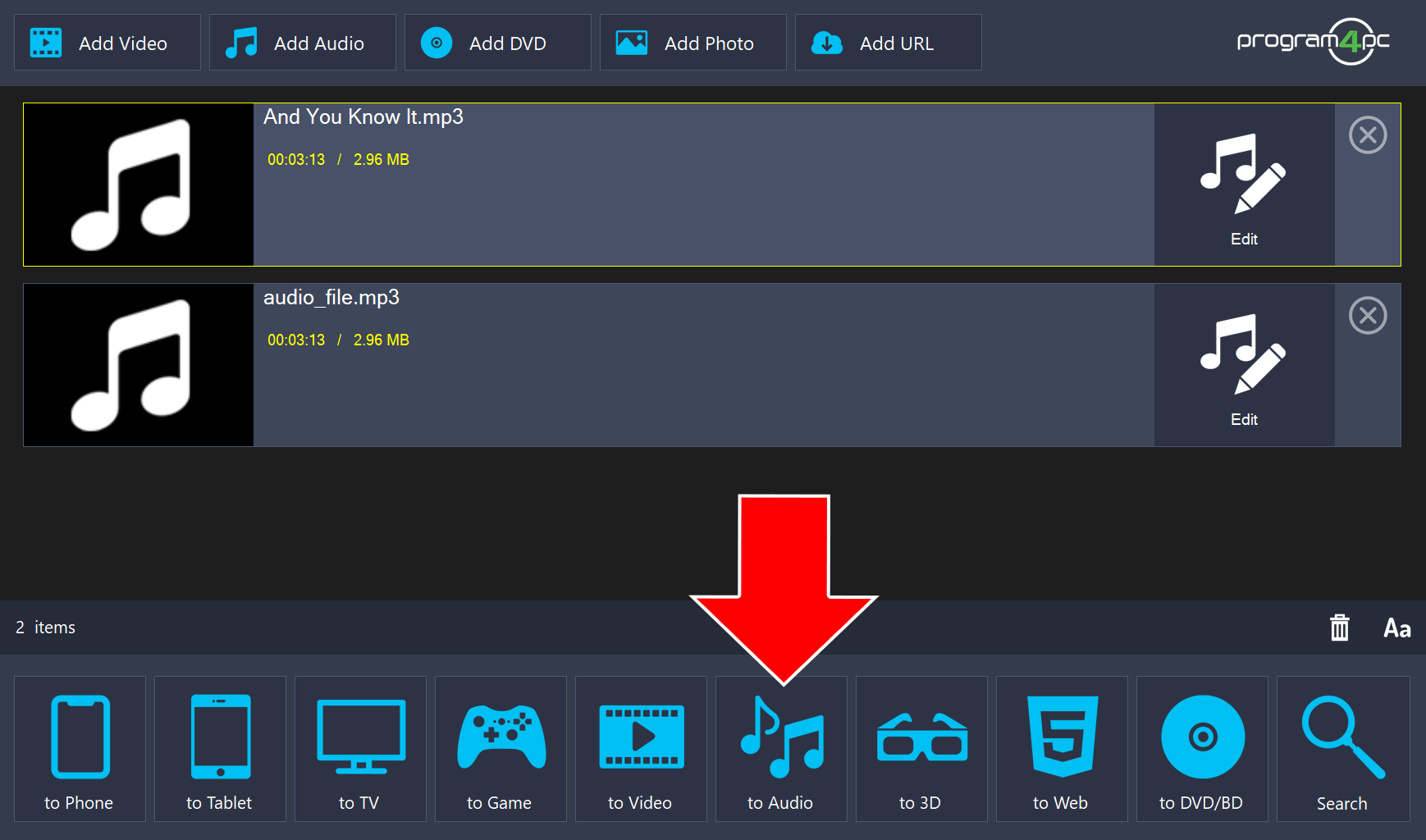
Step 3: Choose the Audio Format
Click to Audio at the bottom of the window.
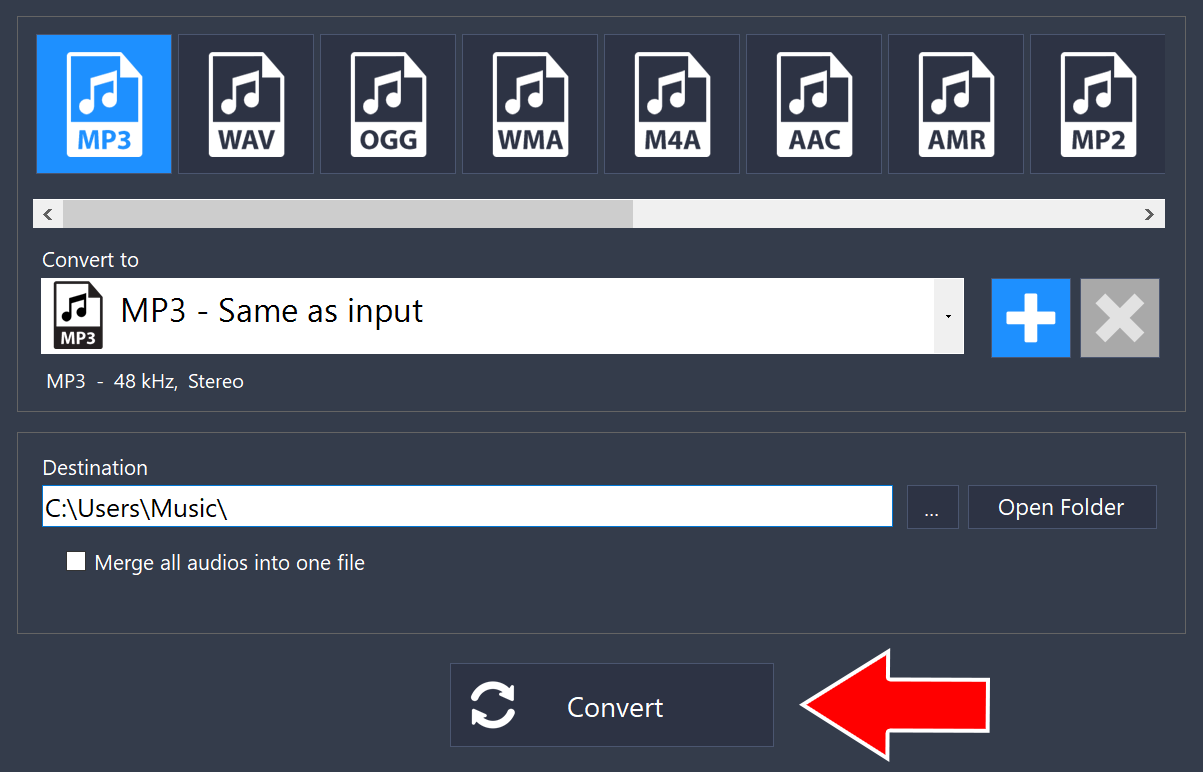
Step 4: Set the Destination and Start the Conversion
Choose a format at the top, such as MP3. Under Destination, choose where the converted files will be saved, then click Convert.
That’s it!
Need more help?
Browse more guides, or contact our Support Team if you can’t find what you need.