

How to Convert Unprotected DVD Movies
Convert a movie from an unprotected DVD to a video file with Video Converter Pro.
Steps
Step 1: Download and Install Video Converter Pro
Download the Video Converter Pro installer, then run it to install Video Converter Pro.
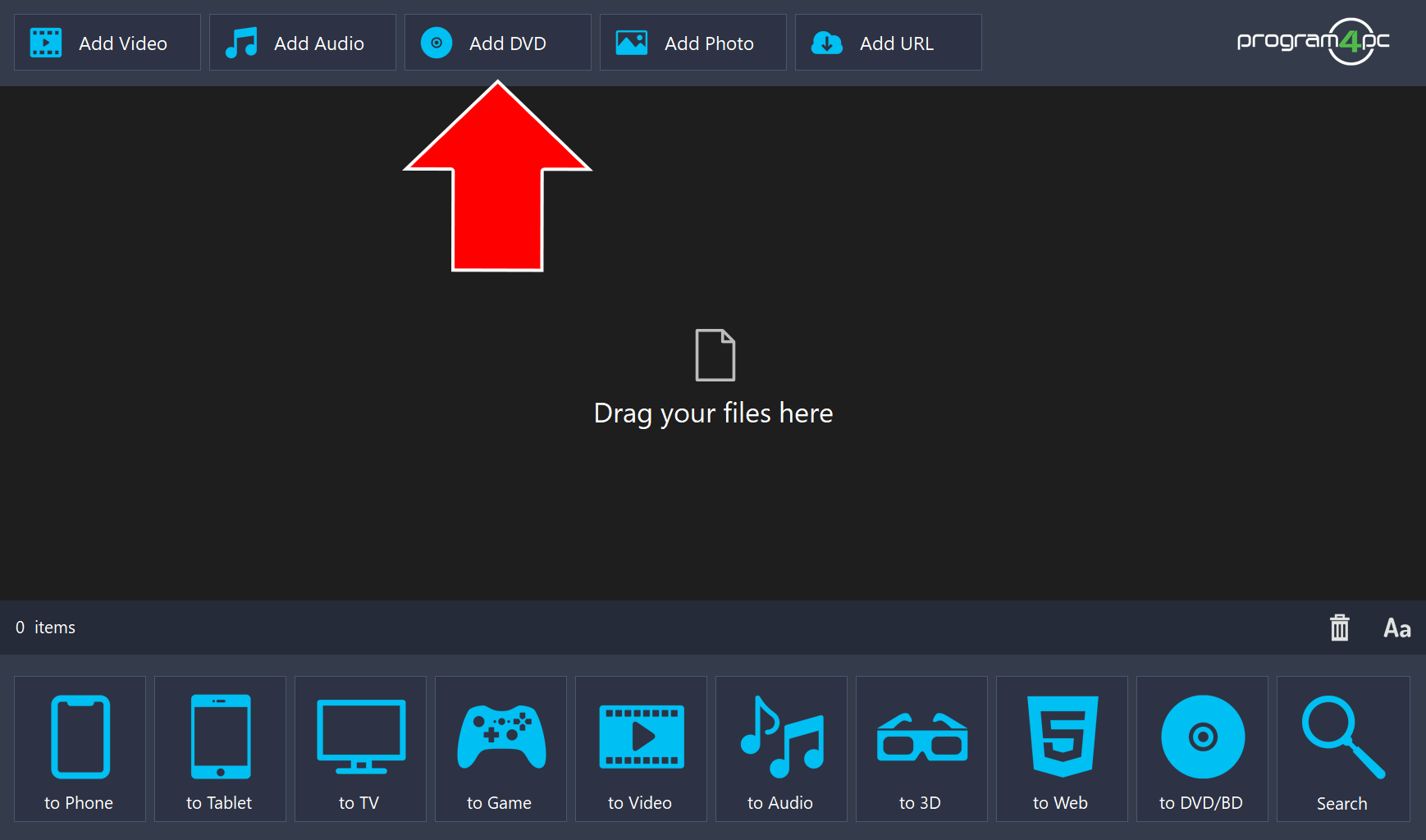
Step 2: Add Your DVD
Insert the disc into your computer’s DVD drive, then click Add DVD to add the DVD movie to the program.
Step 3: Choose the Video Format
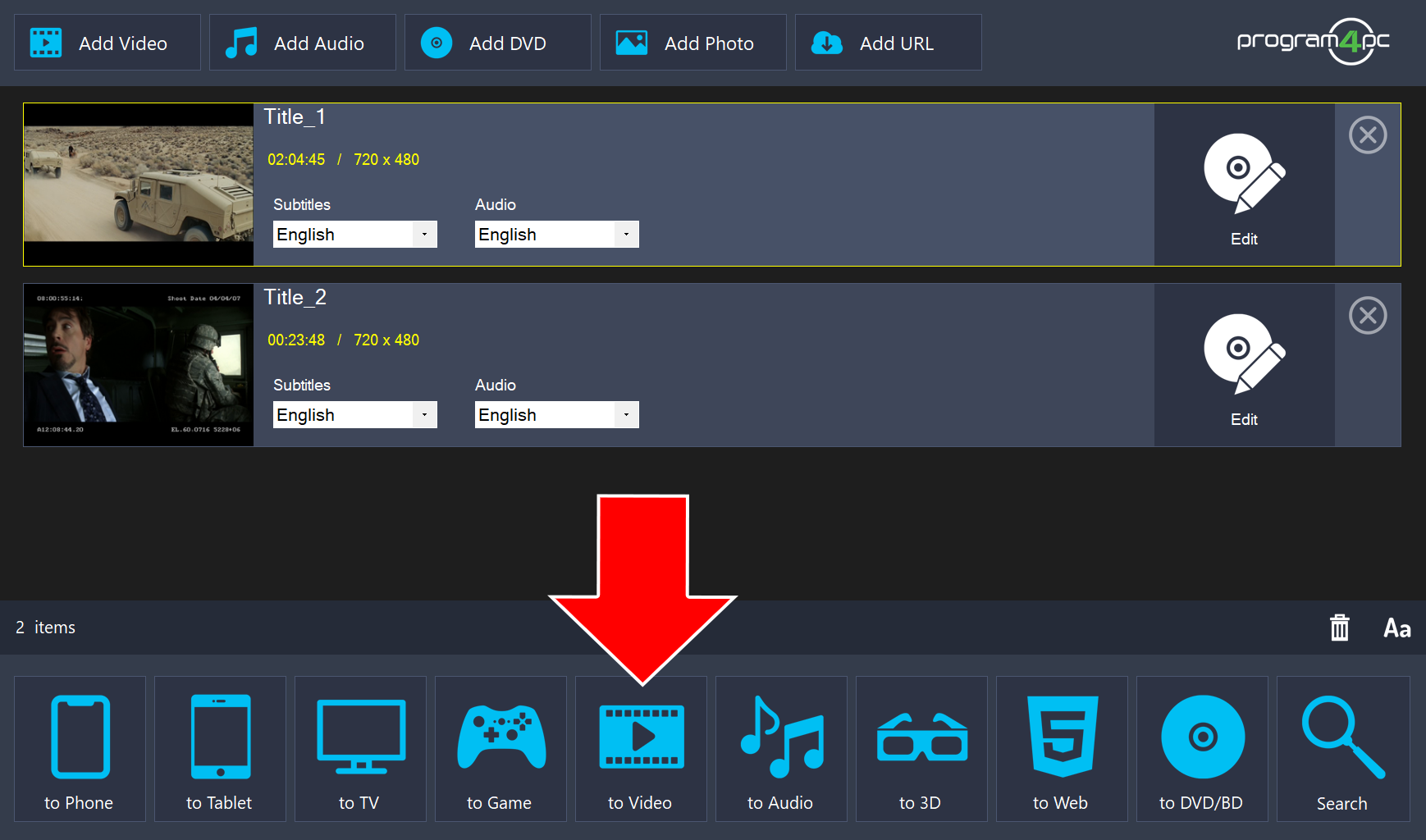
Click to Video at the bottom of the window.
Step 4: Set the Destination and Start the Conversion
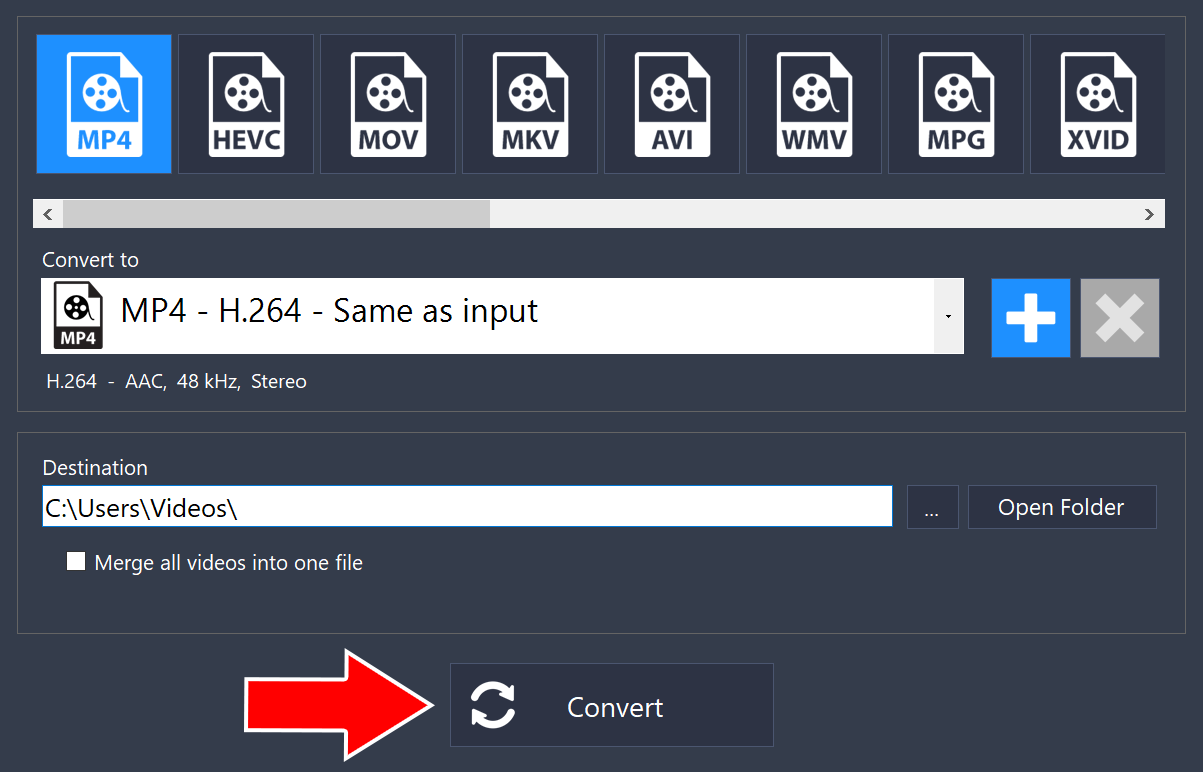
Choose a format at the top, such as MP4. Under Destination, choose where the converted files will be saved, then click Convert.
That’s it!
Please note: Video Converter Pro is not intended for use with copy-protected media content. Program4PC® software does not permit the copying of protected material. You may use the software to copy material for which you own the copyright or have obtained permission from the copyright owner.
Need more help?
Browse more guides, or contact our Support Team if you can’t find what you need.